TDM 19000: Removing Multiple Objects from an Image
Part 5
The YOLO model predicted both people and a plant in this image. These labels are stored in detected_names, containing 'person' and 'potted plant' values. The bounding boxes and NOT the masks are what presently have these distinguishing labels.
To remove just the masks of the people, we will have to loop through masks and detected_names (the bounding box titles) to match the shapes to the labels.
combined_mask = None

for i, mask in enumerate(masks):
    # if it is NOT a person, skip it
    if detected_names[i] != 'person':
        continue

    mask = mask.cpu().numpy()

    if mask.ndim == 3:
        mask = mask[0]

    if combined_mask is None:
        combined_mask = np.zeros_like(mask, dtype=np.uint8)

# combined_mask contains ALL "person" masks
    combined_mask = np.maximum(combined_mask, mask)

combined_mask = combined_mask.astype(np.uint8) * 255
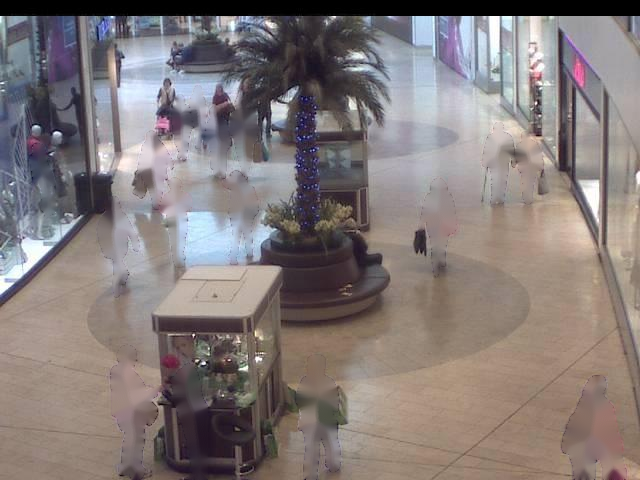
Then use cv2.inpaint() to remove the masks in combined_masks, and plt.imshow() to display the results, as in Part 4.
If you look closely, there are still some ridged outlines from where the people used to be. The inpainting did good at removing the people, but it hasn’t yet blended their lingering outlines back into the background floor, shadows, etc.
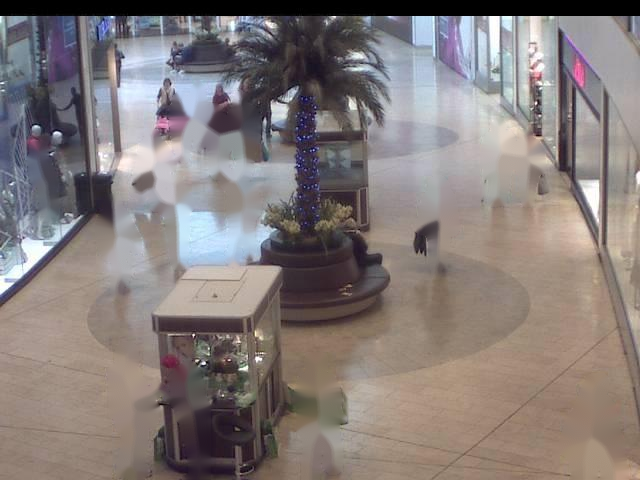
We can use cv2.GaussianBlur() to blur the masks: combined_mask = cv2.GaussianBlur(combined_mask, (7,7), 0).
And again, use inpainting to place these masks onto the image and display it.
result = cv2.inpaint(
    image_bgr,
    combined_mask,
    inpaintRadius=5,
    flags=cv2.INPAINT_TELEA
)

result = cv2.inpaint(
    image_bgr,
    combined_mask,
    inpaintRadius=5,
    flags=cv2.INPAINT_TELEA
)