TDM 20100: Project 4 — Fall 2026
-
Image Processing
Motivation: Computers cannot interpret images the way humans do. Instead, images must be converted into numerical representations of themselves that capture import visual features. Learning how image embeddings are created and compared allows us to analyze them, and discover patterns in large collections of images.
Context: In this project, students will use the CLIP model to process images and generate image embeddings, compare images using cosine similarity, and use clustering to group visually similar images based on their extracted features
Scope: Image Processing, CLIP, image embedding, clustering
Dataset
-
/anvil/projects/tdm/data/images/Snails/*
The Snails folder contains 30 different images of snails - sourced from this Kaggle Agricultural Pests Image Dataset. The original dataset had 500 images of snails, as well as folders focusing on other animals. This subset was selected because it is a nice starting amount of images to work with without getting overwhelming results at the beginning.
The purpose of this dataset is to give us a sampling of images to break down into vectors, so that we can begin learning about embedding images - putting them into a form the computer will understand. Any dataset of images is fine to use; this was one we found interesting because the snails themselves vary in shape, color, species, and size, as well as the backgrounds of the images can be leaves, dirt, conrete, and other surface, while all still focusing on a singular snail to create consistency across the 30 images.
Humans are naturally good at finding patterns and understanding context that causes something to look how it does - humans instantly process visual information. It’s how we make sense of the world.
Computers excel at taking text, and searching, sorting, and analyzing it at high speeds. Much faster than humans can do. But a computer cannot technically "see" an image - it sees a collection of pixels (or RGB values) that make up any image it encounters.
Image processing allows computers to analyze and interpret visual data. This process is done by taking raw visual data, and transforming it into representations of the image that can be analyzed by a computer. These techniques are now commonly combined with machine learning models, in order to identify patterns across large quantities of images at once.
We will apply image processing and feature extraction techniques to convert a set of images into numeric embeddings, and then create groups based on similarity.
We will work with the CLIP Model and Processor. There are numerous other models that are more modern now, including (for instance) Apple DFN, BLIP-2, EVA-CLIP, Long-CLIP, MetaCLIP, OpenCLIP, SigLIP, etc.
First, we need to setup the CLIP Model and Processor: the-examples-book.com/projects/fall2026/20100/settingupclip
Now we can actually begin working with the model, and have it process some images.
From the 'Snails' folder, choose one image to read in (using Image.open) and view, as done below.
import os

folder_path = "/anvil/projects/tdm/data/images/Snails"

# print the names of the images
for filename in os.listdir(folder_path):
    print(filename)
from PIL import Image
# change the selected image name as needed
my_image = Image.open("/anvil/projects/tdm/data/images/Snails/snail (179).jpg")
my_image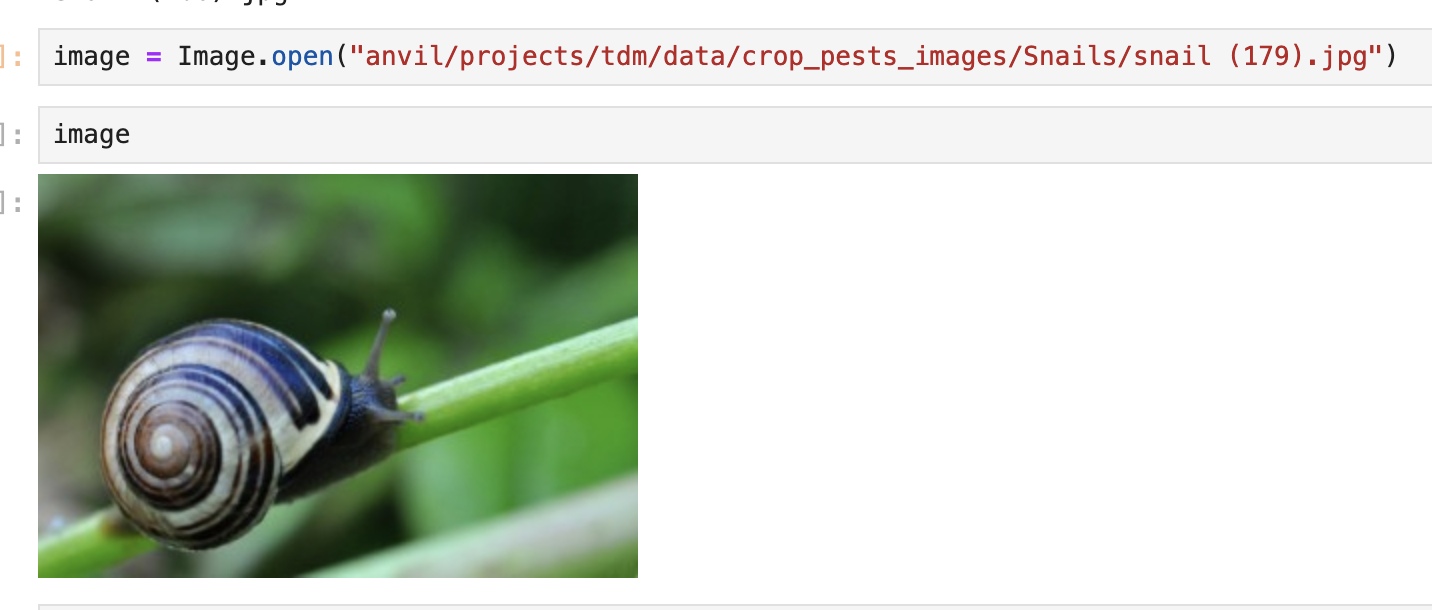
Think of how you might describe the image you’ve just displayed. Some common themes amongst the images in this dataset are:
-
Very green and leafy background
-
Snail is fully inside / extended out of its shell
-
Clear view of shell spiral
-
Snail on concrete / road
Just as we can think of images by a set of key features, so will the computer…just a bit differently.
The CLIP Model and Processor will convert the image into vectors using embeddings: the-examples-book.com/projects/fall2026/20100/imageembeddings
Questions
|
There is a planned, upcoming Anvil Outage on September 19-21 2026 Saturday, September 19, at 12:00 a.m. through Monday, September 21, at 8:00 p.m. EDT. We encourage you to get your work finished before the outage, because sometimes the outage time is extended. Please go ahead and work on Project 4, and try your best to complete it by this Friday, September 18. |
Question 1
1.1 Explain (in 1 to 2 sentences) how computers "understand" visual content; your answer can be at a high level, but please explain what you know so far!
1.2 Direct the CLIP model to store downloads in the SCRATCH directory
1.3 Load the model and processor to prepare for image processing
Question 2
2.1 Read in an image from the Snails dataset folder, and display it. What are some key features you notice about the image?
2.2 Convert the snail image into a dictionary of tensors
2.3 Unpack the dictionary (inputs) to find keyword arguments
2.4 Explain (in 2 to 3 sentences) how we are using processor and model to make the snail image model-friendly
Question 3
.jpg)
.jpg)
.jpg)
3.1 How might the CLIP model decide that the three images of snails (shown above: snail (261).jpg, and snail (304).jpg, and snail (262).jpg) are more similar to each other than to an image of a bike or a cat?
3.2 Read in the 30 snail images, and extract a feature vector for each
3.3 Combine the vectors into one total list of vectors
3.4 Show the similarity score of image #0 to image #1. Are these two images dissimilar, neutral, or similar?
Question 4
One of the most natural concepts to learn is how to compare images.
Again, just as with large language models, one way to make comparisons is to use cosign similarity.
Before answering the questions below, please read the overview about image similarity here:
We can even make a heatmap of how each of the 30 images compares to all of the other images. Please read this documentation about heatmaps:
Now please give these questions a try:
4.1 Which snail images (from the initial cosine similarity scores heatmap) are similar? Which are dissimilar?
4.2 Show the image pairings of snails with the top 5 similarity scores.
Question 5
We have found which pairs of images are the most similar. This is useful for direct comparison. But what if we want to find a lot of images that are similar? Or if we would like to divide up an entire folder of images based on similarity? We can use clustering:
Please give these questions a try:
5.1 Create clusters to sort the snail images into
5.2 Show the names of the images within each cluster group (there are three groups: please do this for cluster 0, cluster 1, and cluster 2)
5.3 Show the images within each cluster group of snails (three clusters of images)
5.4 In English (in 2 to 3 sentences), what main characteristics are you noticing of the images in each cluster?
Submitting your Work
Please make sure that you added comments for each question, which explain your thinking about your method of solving each question. Please also make sure that your work is your own work, and that any outside sources (people, internet pages, generative AI, etc.) are cited properly in the project template.
Prior to submitting your work, you need to put your work into the project template, and re-run all of the code in Jupyter Lab and make sure that the results of running that code is visible in your template. Please check the detailed instructions on how to ensure that your submission is formatted correctly. To download your completed project, you can right-click on the file in the file explorer and click 'download'.
-
firstname_lastname_project4.ipynb
|
It is necessary to document your work, with comments about each solution. All of your work needs to be your own work, with citations to any source that you used. Please make sure that your work is your own work, and that any outside sources (people, internet pages, generative AI, etc.) are cited properly in the project template. You must double check your Please take the time to double check your work. See here for instructions on how to double check this. You will not receive full credit if your |