TDM 20100: Project 12 - Fine-Tuning a Large Language Model
Project Objectives
Motivation: In the last two projects we ran a Large Language Model locally with Ollama, and then used Retrieval-Augmented Generation (RAG) to hand the model facts it didn’t have. RAG is great when the problem is missing information. But sometimes the problem isn’t what the model knows - it’s how the model behaves: its tone, its style, its voice. You cannot fix that by handing the model a document. To change behavior, you have to change the model itself. That is what fine-tuning does, and that is what this project is about.
Context: Students will take a small open model, run it through Ollama to hear its default "voice," then fine-tune it on a body of text with a very distinctive writing style so that it learns to write that way on its own. We will measure the change two ways - a number (perplexity) and a clear before/after - and finish with a short comparison of when you’d reach for fine-tuning versus RAG.
Scope: fine-tuning, LoRA, Hugging Face transformers/peft, perplexity, Ollama model import
Dataset
We will fine-tune on the Tiny Shakespeare text - a single plain-text file containing about 40,000 lines of Shakespeare’s plays. It is one clean text file (no messy PDF extraction), and its writing style is unmistakable, which makes the before/after easy to see.
|
Any body of text with a strong, consistent voice will work here - song lyrics, a single author’s books, legal text, etc. If you want to experiment later, just swap the URL above for another plain-text file. We use the |
Questions
|
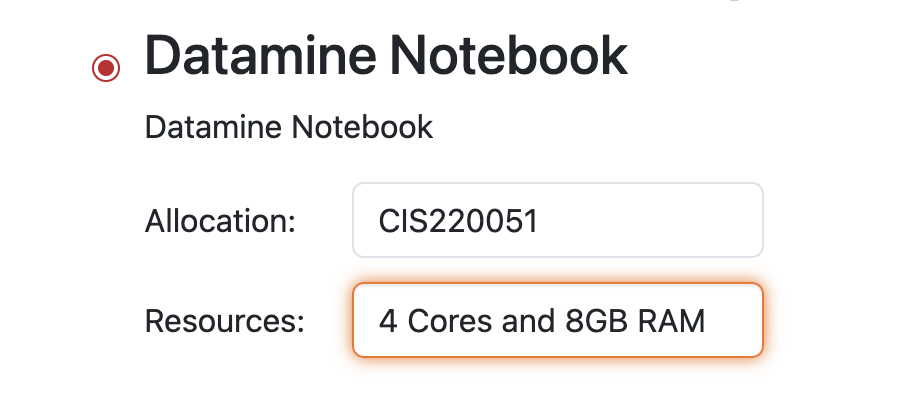
Please use 4 Cores for this project. Every step - including the fine-tuning and the evaluation - is designed to run comfortably on a 4-core / 8GB node with no GPU. |
|
There is no GPU on these nodes, and that shapes every choice in this project. Tools you may have read about online - 4-bit quantization, QLoRA, |
Question 1 (2 points)
In Project 1 we used Ollama to run llama3.2. We will start the same way, but with a much smaller model - and the reason why is worth understanding.
Fine-tuning means running data through a model and adjusting its internal numbers (its "weights"). To do that, the computer pushes information forward through the entire model and then back through it again, over and over. The bigger the model, the slower and more memory-hungry that becomes. llama3.2 has about 3 billion parameters - far too large to train on a CPU in a reasonable amount of time. So we switch to SmolLM2-135M, a model with only ~135 million parameters. It is weaker, but small enough that we can actually fine-tune it on our node in a few minutes.
Set up your Ollama server. In a new Terminal window on Anvil:
# launch the ollama server (leave this Terminal running)
/anvil/projects/tdm/bin/ollama serve
In your notebook, point to the running server and pull the small model:
import os

# tell this notebook where the Ollama server is running
with open(f"/dev/shm/ollama.{os.getuid()}") as hostfile:
    hostline = [line.rstrip() for line in hostfile]
os.environ["OLLAMA_HOST"] = hostline[0]
print(os.environ["OLLAMA_HOST"])
%%bash
# download the small model we will fine-tune
/anvil/projects/tdm/bin/ollama pull smollm2:135m
/anvil/projects/tdm/bin/ollama listJust like in Project 1, we must cap the number of threads. The physical Anvil node has far more cores than the 4 you were allocated, and by default Ollama tries to use all of them - which makes the threads thrash against your limit and runs painfully slowly. So we make a thread-limited copy first:
%%bash
cat > ~/smollm2.modelfile << HERE
FROM smollm2:135m
PARAMETER num_thread 2
HERE
/anvil/projects/tdm/bin/ollama create smollm2-135m-2 -f ~/smollm2.modelfile|
If a model ever feels absurdly slow on Anvil (minutes for a short reply), the thread count is the first thing to check. Always run the |
Now ask the base model to write in Shakespeare’s style:
%%bash
/anvil/projects/tdm/bin/ollama run smollm2-135m-2 "Write a short passage in the style of Shakespeare:"
Read the output. It will sound like a small modern chatbot - plain, contemporary English, maybe a little confused. It does not write like Shakespeare. Save this output - it is your "before" picture.
1.1 Start the Ollama server, pull smollm2:135m, and create the smollm2-135m-2 thread-limited copy (show ollama list).
1.2 Run the base model on the Shakespeare prompt above and paste its full answer.
1.3 In 2-3 sentences, explain why we use a 135M model here instead of the larger llama3.2 from Project 1.
Question 2 (2 points)
So why doesn’t the model write like Shakespeare? A language model’s style comes from the text it was trained on. SmolLM2 was trained mostly on modern web text, so modern web text is the voice it defaults to. To give it a new voice, we continue its training on text written in that voice - this is fine-tuning, and the new behavior becomes baked into the model itself.
But you cannot fine-tune on a raw file all at once. First we turn the text into a dataset: many small chunks the model can learn from. Download the Tiny Shakespeare text and break it into chunks:
import urllib.request

url = "https://raw.githubusercontent.com/karpathy/char-rnn/master/data/tinyshakespeare/input.txt"
text = urllib.request.urlopen(url).read().decode("utf-8")

print("Total characters:", len(text))
print(text[:300])
import json, random
random.seed(42)
# break the text into ~400-character chunks
chunk_size = 400
chunks = [text[i:i+chunk_size] for i in range(0, len(text), chunk_size)]
# keep reasonably sized chunks, then cap the count so training stays fast
examples = [c for c in chunks if len(c.strip()) > 100]
random.shuffle(examples)
examples = examples[:300]
# hold out 10 chunks to evaluate on later (the model will NOT train on these)
eval_examples = examples[:10]
train_examples = examples[10:]
print("Training examples:", len(train_examples))
print("Held-out examples:", len(eval_examples))
# save the training set so we have a record of it
with open("shakespeare_train.jsonl", "w") as f:
for ex in train_examples:
f.write(json.dumps({"text": ex}) + "\n")|
If your node feels slow during training in Question 4, the easiest fix is to lower |
2.1 Download the Tiny Shakespeare text and report how many total characters it has.
2.2 Break it into chunks and create your train / held-out split; report the size of each.
2.3 Save the training set to shakespeare_train.jsonl and show the first 2 lines (!head -n 2 shakespeare_train.jsonl).
2.4 In 1-2 sentences, explain why we hold out some examples instead of training on all of them.
Question 3 (2 points)
Ollama is great for running models, but it cannot train them. For fine-tuning we move to Hugging Face, the standard toolkit for working with models directly in Python. Install the libraries if needed:
%pip install -q transformers peft datasets accelerateLoad the same SmolLM2-135M model and its tokenizer. A tokenizer converts text into the numbers the model reads.
import torch
from transformers import AutoModelForCausalLM, AutoTokenizer

torch.set_num_threads(4)   # use our 4 cores (and no more)
model_name = "HuggingFaceTB/SmolLM2-135M-Instruct"

tokenizer = AutoTokenizer.from_pretrained(model_name)
if tokenizer.pad_token is None:
    tokenizer.pad_token = tokenizer.eos_token   # the model needs a padding token

model = AutoModelForCausalLM.from_pretrained(model_name, torch_dtype=torch.float32)
print("Loaded", model_name)
Before we change anything, we need a baseline number to compare against later. We will use perplexity: a measure of how "surprised" the model is by a piece of text. Lower perplexity means the text looks more familiar to the model. A model that has never been trained on Shakespeare should be quite surprised (high perplexity) by it.
import math

def perplexity(model, texts):
    """Average perplexity of the model over a list of texts (CPU-friendly)."""
    model.eval()
    total_loss, total_tokens = 0.0, 0
    for t in texts:
        enc = tokenizer(t, return_tensors="pt", truncation=True, max_length=256)
        with torch.no_grad():
            out = model(**enc, labels=enc["input_ids"])
        n = enc["input_ids"].size(1)
        total_loss += out.loss.item() * n     # loss is the average per token
        total_tokens += n
    return math.exp(total_loss / total_tokens)

baseline_ppl = perplexity(model, eval_examples)
print("Baseline perplexity (before fine-tuning):", round(baseline_ppl, 2))|
Write down this baseline perplexity number. In Question 4 you will compute it again on the fine-tuned model and compare - we expect it to drop. |
Now we set up LoRA. Fine-tuning normally updates every weight in the model, which uses a lot of memory. LoRA instead freezes the original model and trains a small set of extra weights bolted onto it. This is mainly about keeping memory low so we fit on our 8GB node - it does not make the training itself much faster, because every example still passes through the full base model either way.
from peft import LoraConfig, get_peft_model, TaskType

lora_config = LoraConfig(
    r=8,                       # size of the small added weights
    lora_alpha=16,
    lora_dropout=0.05,
    target_modules=["q_proj", "v_proj"],   # which layers LoRA attaches to
    task_type=TaskType.CAUSAL_LM,
)

model = get_peft_model(model, lora_config)
model.print_trainable_parameters() # shows how few weights we actually train3.1 Install/import the libraries and load SmolLM2-135M-Instruct and its tokenizer.
3.2 Compute and report the baseline perplexity on your held-out set.
3.3 Wrap the model with LoRA and paste the output of print_trainable_parameters().
3.4 In 1-2 sentences, state roughly what fraction of the model’s weights you are actually training, and why LoRA helps us stay within 8GB.
Question 4 (2 points)
Now we actually fine-tune. First, turn the text chunks into a tokenized dataset (convert them to numbers):
from datasets import Dataset

train_ds = Dataset.from_list([{"text": t} for t in train_examples])

def tokenize(batch):
    return tokenizer(batch["text"], truncation=True, max_length=192)

train_ds = train_ds.map(tokenize, batched=True, remove_columns=train_ds.column_names)
print(train_ds)
Set up the trainer and run it. These settings are deliberately modest so this finishes on CPU - we are not tuning hyperparameters in this project.
from transformers import TrainingArguments, Trainer, DataCollatorForLanguageModeling

# mlm=False tells the collator we are doing normal (causal) language modeling
collator = DataCollatorForLanguageModeling(tokenizer, mlm=False)

args = TrainingArguments(
    output_dir="smollm2-lora",
    per_device_train_batch_size=1,
    gradient_accumulation_steps=4,
    num_train_epochs=3,
    learning_rate=2e-4,
    logging_steps=10,
    save_strategy="no",
    report_to="none",
    use_cpu=True,            # force CPU - there is no GPU
)

trainer = Trainer(
    model=model,
    args=args,
    train_dataset=train_ds,
    data_collator=collator,
)

trainer.train() # expect roughly 10-20 minutes on a 4-core node|
You will see the training loss print every 10 steps. It should generally trend downward - that is the model learning the Shakespearean style. If it is taking too long, stop it, lower |
When training finishes, merge the LoRA weights into the base model so we have one ordinary model to hand to Ollama, and save it:
merged = model.merge_and_unload()          # fold LoRA into the base weights
save_dir = "smollm2-shakespeare-merged"
merged.save_pretrained(save_dir)
tokenizer.save_pretrained(save_dir)

import os
print("Saved files:", os.listdir(save_dir))
Now confirm the improvement with a number. Re-run the perplexity function on the same held-out chunks the model never trained on, and compare to your baseline from Question 3:
finetuned_ppl = perplexity(merged, eval_examples)

print("Baseline perplexity   :", round(baseline_ppl, 2))
print("Fine-tuned perplexity :", round(finetuned_ppl, 2))
A lower perplexity means the model now finds Shakespearean text far less surprising - it has genuinely absorbed the style.
4.1 Tokenize the training set and run trainer.train(); paste the training log (the loss values).
4.2 In 1-2 sentences, describe what happened to the training loss over time.
4.3 Merge and save the model, and show the list of files in smollm2-shakespeare-merged.
4.4 Report the baseline vs. fine-tuned perplexity, and state whether it went down.
Question 5 (2 points)
We trained the model with Hugging Face; now let’s bring it back into Ollama - the tool we started with - and hear its new voice. Ollama can import a saved Hugging Face model through a modelfile.
We write the modelfile in the same directory as the saved model so the FROM ./smollm2-shakespeare-merged path lines up. We also set a few generation parameters: TEMPLATE "{{ .Prompt }}" tells Ollama to simply let the model continue our text (instead of wrapping it in a chat format it was not trained on), and repeat_penalty / num_predict keep it from rambling or repeating itself.
%%bash
cat > Modelfile << HERE
FROM ./smollm2-shakespeare-merged
PARAMETER num_thread 2
PARAMETER num_predict 200
PARAMETER repeat_penalty 1.3
TEMPLATE "{{ .Prompt }}"
HERE
/anvil/projects/tdm/bin/ollama create smollm2-shakespeare -f Modelfile
/anvil/projects/tdm/bin/ollama list|
Run these cells from the same working directory that contains your |
Now give both models the same opening line and compare. The base model will continue in plain modern English; the fine-tuned model should continue in Shakespeare’s voice:
%%bash
echo "===== BEFORE (base model) ====="
/anvil/projects/tdm/bin/ollama run smollm2-135m-2 "ROMEO:"

echo ""
echo "===== AFTER (fine-tuned model) ====="
/anvil/projects/tdm/bin/ollama run smollm2-shakespeare "ROMEO:"
You have now shown the improvement two ways: a quantitative drop in perplexity (Question 4) and a clear before/after in style (here).
Fine-tuning vs. RAG. It is worth pausing on what just happened compared to Project 2. RAG gave the model facts by retrieving documents at the moment you asked - it changed what the model knew, but not how it wrote. Fine-tuning did the opposite: it changed the model’s behavior (its voice) by baking it into the weights, with no documents needed at question time. That is the core trade-off:
-
Reach for RAG when the problem is missing or changing facts (like the Data Mine documents in Project 2) - it is easy to update and keeps answers grounded in real sources.
-
Reach for fine-tuning when the problem is behavior - a consistent tone, style, or format you want the model to produce on its own.
5.1 Create the smollm2-shakespeare model with ollama create (show ollama list).
5.2 Run the same prompt on the base model and the fine-tuned model, and paste both answers side by side.
5.3 In 2-3 sentences, describe the difference between the "before" and "after" answers.
5.4 In 2-3 sentences, give one situation where you would choose fine-tuning and one where you would choose RAG.
Submitting your Work
Please make sure that you added comments for each question, which explain your thinking about your method of solving each question. Please also make sure that your work is your own work, and that any outside sources (people, internet pages, generative AI, etc.) are cited properly in the project template.
Prior to submitting your work, you need to put your work into the project template, and re-run all of the code in Jupyter Lab and make sure that the results of running that code is visible in your template. Please check the detailed instructions on how to ensure that your submission is formatted correctly. To download your completed project, you can right-click on the file in the file explorer and click 'download'.
-
firstname_lastname_project12.ipynb
|
It is necessary to document your work, with comments about each solution. All of your work needs to be your own work, with citations to any source that you used. Please make sure that your work is your own work, and that any outside sources (people, internet pages, generative AI, etc.) are cited properly in the project template. You must double check your Please take the time to double check your work. See here for instructions on how to double check this. You will not receive full credit if your |